
Working with prebuilt components
Most of the components found in a theme are core framework components. Using these “base” components, themes can be used for quick functional prototyping, and as a solid, proven foundation for new projects.
How they are built
Components generally consist of a number of nested elements combined with predefined classes.
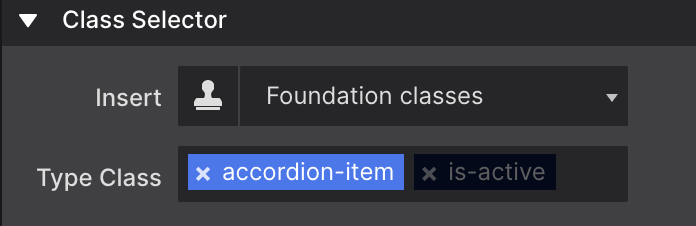
The image above shows the classes for an accordion item. Note that the Foundation class is-active has been disabled — that makes sure any custom styles are tied only to the accordion-item class.
Adding one to your project
Click the Components toolbar icon to launch the library. Along the left-hand side you’ll see the components available for your project’s framework, with a detailed description below the selected one.
When you find the component you want, click Add To Project in the lower-right corner. That imports it into Content pane → Components section.