
Understanding the CSS selectors
The ability to add CSS selectors — Type, Classes and ID — to an element is an important tool to utilize. These are configured in the Styles pane at the top.
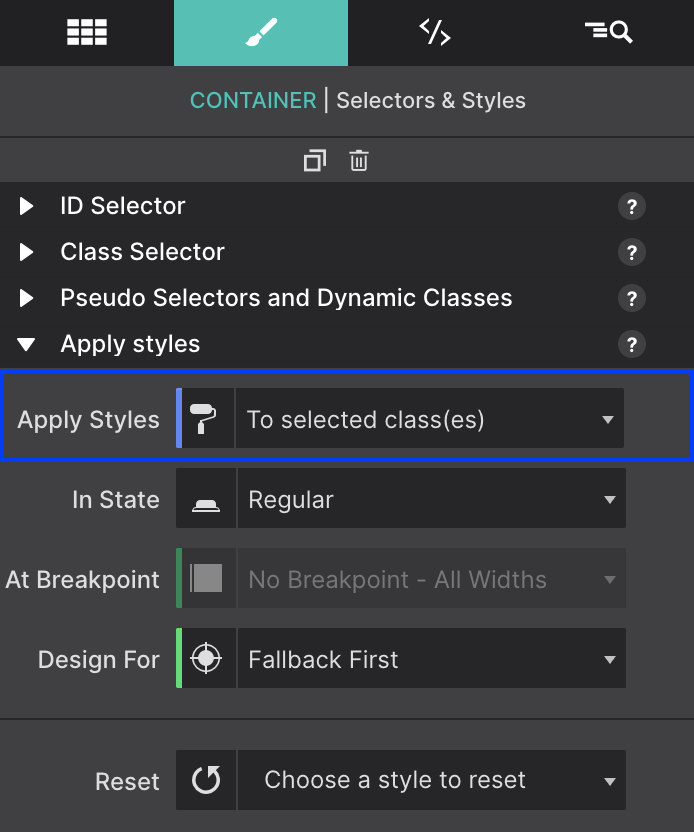
A selector ‘binds’ an element or group of elements to design rules defined in the Styles pane. Style definitions are related to selectors and the top part of the style section is used to manage exactly that.
- Enter default styles to the Type.
- Use a Class name so that common items share the same styles.
- Give a unique ID name for an individual element with a one-time unique variation.
Contents in this chapter
CSS Selectors Explained
How selectors work, and the Foundation button example.
Apply Styles Section
The Apply Styles, In State, Design For and Reset controls.
Apply Styles To Selectors
Working from the broadest selection of elements down to a single one.
Working With Classes
Creating design variations, specificity, and class combinations.
Framework Classes
Searching and adding predefined Foundation, Bootstrap and Materialize classes.
Layout Classes
What the row and col class names in an imported project mean.
Using the State Dropdown
Styles for Hover, Active, Focus, Visited and Out of View.
Color Coding Recap
What the pink, blue, orange and gray indicators are telling you.